What if your team could fetch external network data, validate it, and push it into Zoho CRM – all without leaving the CRM interface?
This case study demonstrates how a custom Zoho CRM Embedded Widget integrated with Nexphone API eliminates manual lookup, reduces errors, and streamlines CRM data creation in a single workflow.
What is a Zoho CRM Widget?
A Zoho CRM Widget (Embedded App) is a custom UI component that runs inside Zoho CRM using the Zoho Embedded App SDK.
Where Widgets Are Used:
- Record Detail Pages
- Custom Buttons / Tabs
- Related Lists
- Web Tabs inside CRM UI
Benefits:
- Extend CRM functionality without external tools
- Integrate third-party APIs seamlessly
- Provide real-time data inside CRM
- Improve user productivity with custom workflows
Problem Statement:
Businesses using external systems like Nexphone often face:
- Manual data lookup from external portals
- Time-consuming copy-paste into CRM
- High risk of human error
- No centralized workflow
- Poor data consistency
Solution Overview:
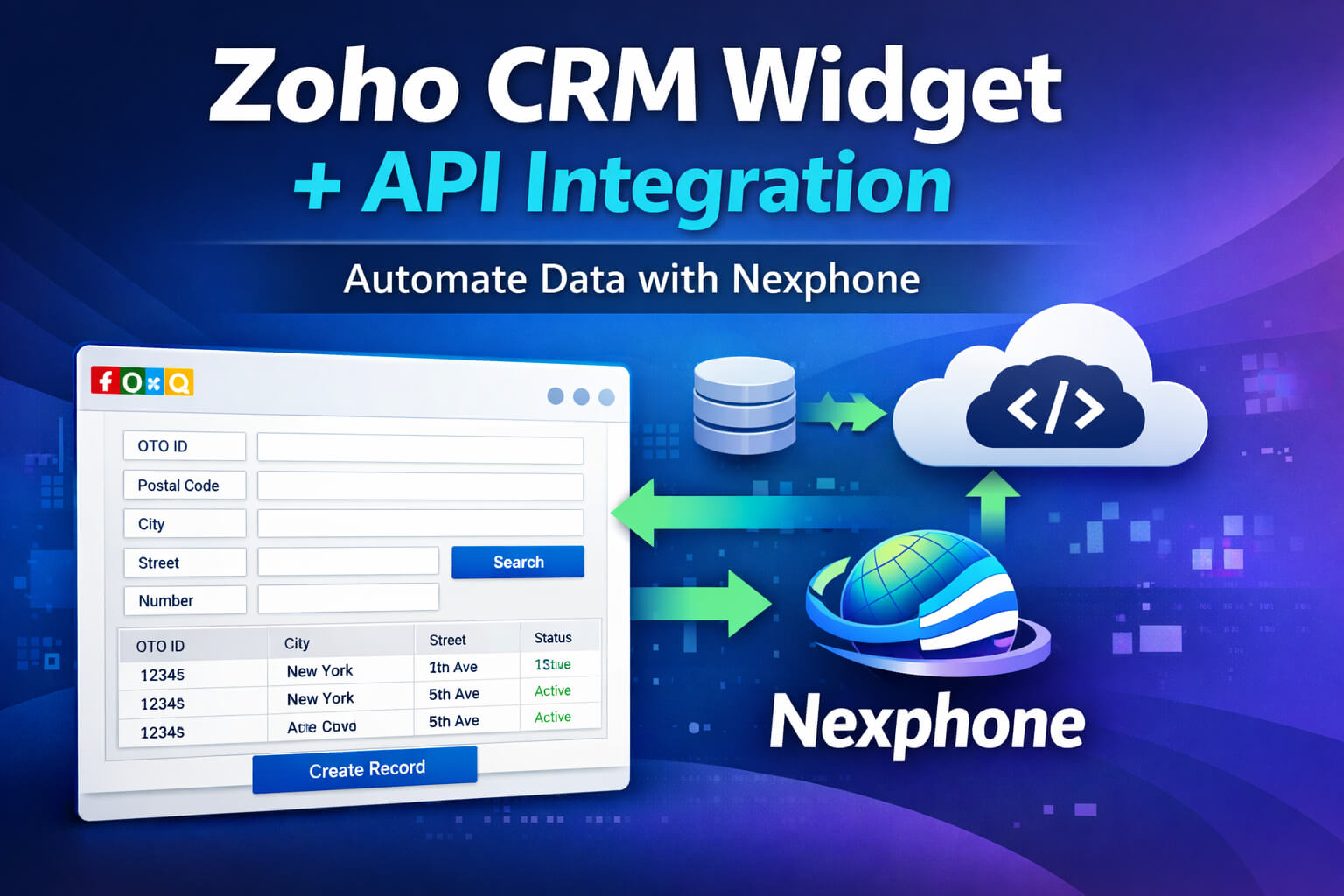
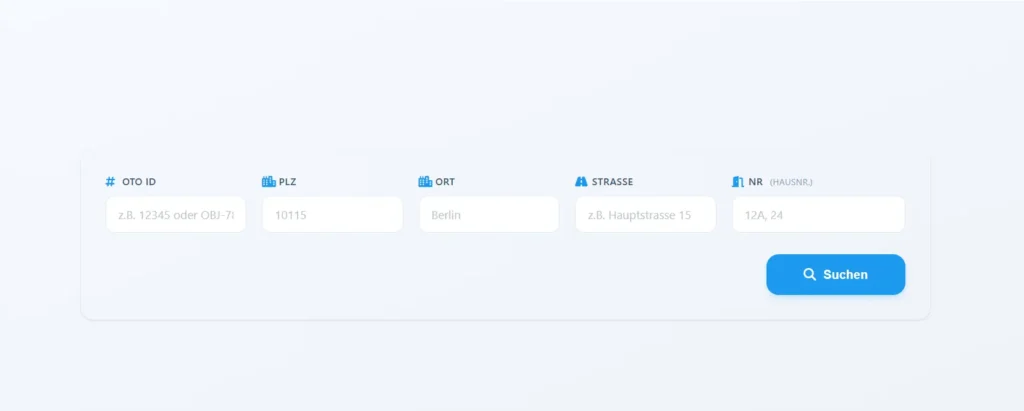
We developed a custom Zoho CRM Widget that:
- Connects to Nexphone API
- Performs real-time search
- Displays results instantly
- Allows multi-select record selection
- Creates CRM records in bulk
All within Zoho CRM – no tab switching required.
Features Breakdown
Smart Multi-Field Search:
Search using:
- Socket Name
- Postal Code
- City
- Street
- Street Number
Real-Time API Integration:
- Secure API calls using Basic Authentication
- Instant data retrieval from Nexphone
Dynamic Table UI:
- Responsive design (Tailwind CSS)
- Structured data rendering
- Clean and modern interface

Bulk Record Creation:
- Multi-select checkboxes
- Create multiple records in one click

Duplicate Detection:
- Prevents duplicate record entries
- Displays warning notifications

Toast Notification System:
- Success alerts
- Error handling
- Duplicate warnings
Reset & Reload:
- Clear search form instantly
- Reload results dynamically
Technical Implementation
1. Initialize Zoho Embedded SDK
ZOHO.embeddedApp.on("PageLoad", function (data) {
    console.log("Widget Loaded", data);
});ZOHO.embeddedApp.init();
2. Form Handling (JavaScript)
document.getElementById("searchForm").addEventListener("submit", function(e) {
    e.preventDefault();
    searchRecords();
});
3. API Request via Zoho CRM HTTP
ZOHO.CRM.HTTP.post({
  url:"https://portal.nexphone.ch/api/psuite/reseller/sales/network/access/qualification",
    headers: {
        "Authorization": "Basic XXXXX"
    },
    body: JSON.stringify(payload)
}).then(function(response) {
    renderTable(response.details);
});
4. Modular JavaScript Architecture
/js
 ├── searchRecord.js
 ├── domManipulation.js
 ├── createRecord.js
 ├── utils.js
Benefits:
- Clean code separation
- Easy maintenance
- Scalable architecture
5. Dynamic Table Rendering
function renderTable(data) {
    const tableBody = document.getElementById("tableBody");
    tableBody.innerHTML = "";    data.forEach(item => {
        tableBody.innerHTML += `
            <tr>
                <td><input type="checkbox" value="${item.{value}}" /></td>
                <td>${item.city}</td>
                <td>${item.street}</td>
            </tr>
        `;
    });
}
6. Create Records in Zoho CRM
ZOHO.CRM.API.insertRecord({
    Entity: "{custom_module}",
    APIData: {
        Name: selectedData.name,
        OTO_ID: selectedData.{value}
    }
}).then(function(response) {
    showToast("Record Created Successfully");
});
Workflow (Step-by-Step)
- User opens widget inside Zoho CRM
- Enters search criteria
- Widget sends API request to Nexphone
- Results displayed in dynamic table
- User selects desired records
- Clicks Create Record
- Data saved in Zoho CRM Custom Module
Output / Result
- Clean, structured data table
- Selected records stored in CRM
- Instant feedback via notifications
Time-Saving Benefits
- Eliminates manual data entry
- Reduces lookup time drastically
- Minimizes human errors
- Improves team efficiency
User Experience
- Fast and responsive UI
- Minimal clicks required
- Clear feedback system
- Seamless CRM integration
Business Benefits
- Centralized data management
- Improved data accuracy
- Automated external integration
- Scalable architecture for future APIs
Use Cases
- Telecom & Fiber Providers
- Real Estate Data Lookup
- Address Validation Systems
- CRM Data Enrichment
Conclusion
This solution highlights the true power of Zoho CRM Widgets + API Integration:
- Automate repetitive workflows
- Integrate external systems seamlessly
- Enhance CRM usability
- Scale business operations efficiently
A well-designed widget can transform Zoho CRM into a centralized automation hub.
👉 Read More:
- Zoho CRM Widget Integration with Zoho Backstage: Manage Event Attendees Directly from CRM
- Zoho CRM Marketing Automation Integration: Complete Guide
- How to Convert Zoho Books Invoice to PDF and Automatically Upload to Zoho WorkDrive
- How to Convert Zoho Books Invoice to PDF and Automatically Upload to Zoho WorkDrive
- What Is Zoho Creator Portal? How to create a portal in Zoho?
- Client Script Support for Custom Buttons in Zoho CRM: Real-Time Automation Without Server Calls