In many growing businesses, sales and finance operate as separate units. While sales teams focus on closing deals, finance teams handle invoicing, payments, and accounting. But when these systems are not connected, inefficiencies quickly emerge.
Imagine a logistics company where operations and dispatch don’t communicate effectively. Orders may be confirmed, but deliveries are delayed due to disconnected systems. The issue isn’t team performance – it’s a lack of system integration.
This is exactly what happens when CRM and accounting software work in silos.

The Core Problem: Disconnected Sales and Finance
Without integration:
- Sales teams manually pass deal information to finance
- Finance teams re-enter customer and deal data
- Invoices are delayed or incorrectly generated
- Payment tracking becomes inconsistent
- Reporting lacks real-time accuracy
This results in:
- Operational delays
- Data duplication
- Human errors
- Poor customer experience
The Solution: Zoho CRM + Zoho Books Integration
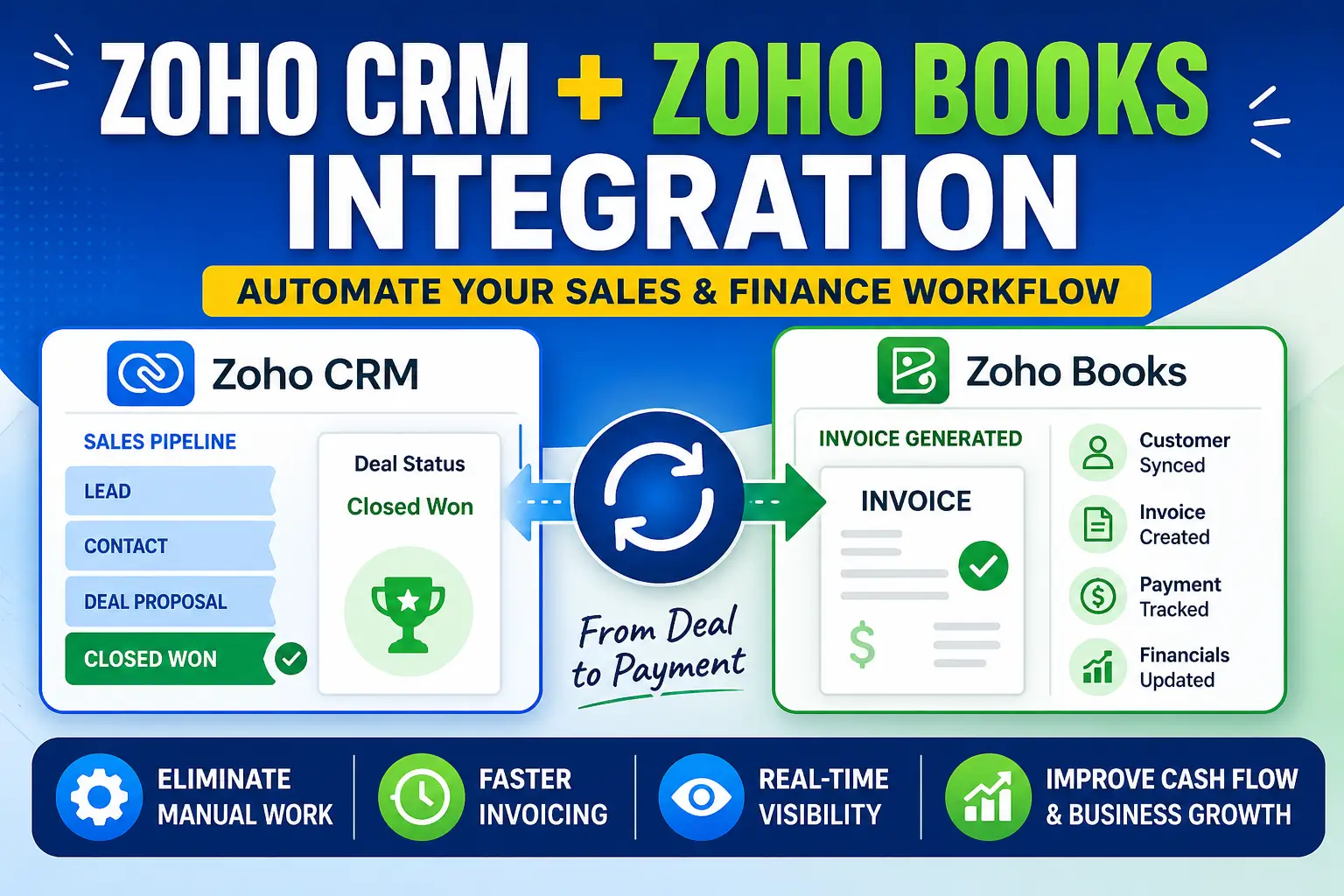
Integrating Zoho CRM with Zoho Books bridges the gap between sales and finance, creating a seamless workflow from deal closure to revenue realization.
What Happens After Integration?
Once a deal is marked as Closed Won in Zoho CRM:
- Customer data is automatically synced to Zoho Books
- Invoice is generated instantly
- Payment tracking begins in real time
- Financial records are updated without manual input
Quote-to-Cash Process Automation
This integration fully automates the Quote-to-Cash (QTC) lifecycle:
| Stage | Without Integration | With Integration |
|---|---|---|
| Deal Closure | Manual update | Automated trigger |
| Invoice Creation | Manual entry | Auto-generated |
| Customer Sync | Re-entry required | Auto-synced |
| Payment Tracking | Separate system | Real-time sync |
| Reporting | Delayed | Instant insights |
Key Benefits of Integration
1. Eliminate Manual Work
No more duplicate data entry between CRM and accounting systems.
2. Faster Invoicing
Invoices are generated immediately after deal closure, improving cash flow.
3. Real-Time Financial Visibility
Sales teams can view payment status directly from CRM.
4. Improved Accuracy
Automation reduces human errors in billing and data handling.
5. Better Collaboration
Sales and finance teams operate on the same dataset.
Real Business Use Case
Logistics Company Scenario
A logistics company manages hundreds of shipments daily. Before integration:
- Sales confirmed bookings in CRM
- Finance manually created invoices
- Delays occurred due to communication gaps
After integrating Zoho CRM with Zoho Books:
- Invoices are auto-generated upon booking confirmation
- Customers receive invoices instantly
- Payment tracking is centralized
- Delivery planning improves due to faster financial clearance
Result: Faster operations, improved customer satisfaction, and better revenue tracking.
How to Set Up Zoho CRM and Zoho Books Integration
Step-by-Step Guide
- Go to Zoho CRM Setup
- Navigate to Marketplace -> Zoho -> Zoho Finance Suite
- Connect Zoho Books Organization
- Authenticate and select your Zoho Books org
- Configure Module Mapping
- Map Accounts -> Customers
- Map Deals -> Invoices
- Set Automation Triggers
- Trigger invoice creation on “Closed Won” deals
- Enable Sync Preferences
- Contacts, Products, and Transactions
- Test the Workflow
- Close a test deal and verify invoice creation
Best Practices
- Maintain consistent field mapping between CRM and Books
- Use automation rules instead of manual triggers
- Regularly audit sync logs
- Use custom functions for advanced workflows
- Implement role-based access for financial data
FAQs
Can Zoho CRM automatically create invoices in Zoho Books?
Is real-time sync available?
Can I customize invoice creation logic?
Does this integration support multi-currency?
Final Thoughts
The integration between Zoho CRM and Zoho Books is not just a technical enhancement—it’s a strategic advantage.
By connecting your sales and finance workflows, you create a unified system that:
- Reduces operational friction
- Improves cash flow
- Enhances decision-making
- Enables scalable growth
For businesses aiming to operate leaner, faster, and smarter, this integration becomes a foundational component of digital transformation.
Read More:
- Zoho Integrations: Connect Zoho with QuickBooks, Mailchimp, Teams & More
- How Zoho MCP Works: The Future of AI Automation in Zoho One
- How Zoho CRM Q1 2026 Updates Improve Sales Productivity with AI, WorkQueue & Smart Automation
- Zoho CRM Widget API Integration with Nexphone
- Zoho CRM Widget Integration with Zoho Backstage: Manage Event Attendees Directly from CRM
- Zoho CRM Marketing Automation Integration: Complete Guide