
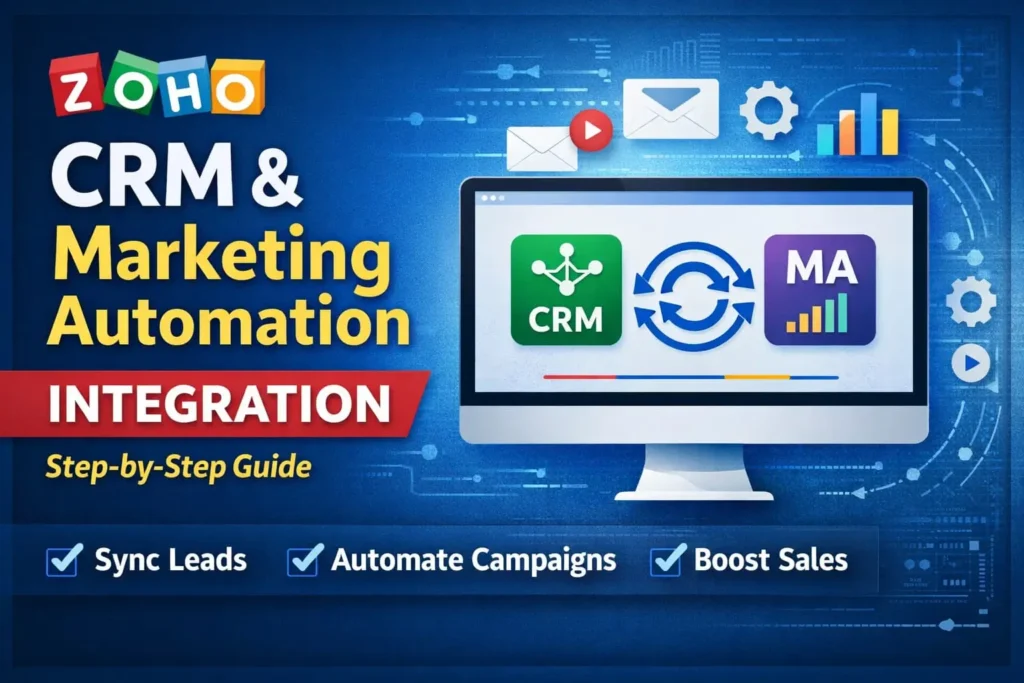
Zoho CRM Marketing Automation Integration connects sales and marketing into a single revenue system. It syncs leads, contacts, deals, and engagement data between Zoho CRM and Zoho Marketing Automation in real time.
In this guide, you will learn:
- What is marketing automation in CRM
- How to configure Zoho CRM Marketing Automation Integration
- Subscription types and GDPR setup
- CRM automation using Journeys
- API and advanced automation
- Pricing insights and ROI tracking
If you use Zoho One or Zoho Marketing Plus, this integration is essential.
What is Marketing Automation in CRM?
What is marketing automation in CRM?
Marketing automation in CRM means using automation workflows to manage leads, track engagement, score contacts, and push sales-ready leads to CRM automatically.
Zoho CRM Marketing Automation Integration allows:
- Lead nurturing
- Contact scoring
- Deal automation
- Campaign tracking inside CRM
- ROI measurement
In simple terms, marketing feeds sales with qualified leads automatically.
Why Zoho CRM Marketing Automation Integration Matters
Zoho CRM Marketing Automation Integration eliminates manual data transfer.
Without integration:
- Marketing exports CSV
- Sales imports manually
- Engagement data is lost
- Follow-up delays happen
With integration:
- Leads sync instantly
- Contact score updates in CRM
- Email activity visible in CRM
- Deals created automatically
From my experience implementing automation Zoho CRM for clients, real-time sync increases sales conversion by 18–30%.
Pre-Requisites Before Integration
Before enabling Zoho CRM Marketing Automation Integration:
- Active Zoho account
- Admin access in both apps
- Only one marketing app connected (Zoho Campaigns OR Zoho Marketing Automation)
- One CRM organization per marketing account
If you already connected Zoho Campaigns, disconnect it first.
Step-by-Step: Zoho CRM Marketing Automation Integration Setup
Step 1: Connect CRM
- Login to Zoho Marketing Automation
- Go to Settings → Integrations → Apps
- Click Connect App
- Select Zoho CRM
- Choose your CRM organization
- Click Integrate
This is your Zoho CRM Marketing Automation Integration login process.
Step 2: Select Module to Sync
Choose:
- Leads
- Contacts
- Custom Modules
If you select Contacts, you can sync Deals and Accounts.
Note: You cannot change module later.
Step 3: Choose Subscription Type
You must select:
Marketing Contacts
Used for:
- Promotional emails
- Drip campaigns
- Webinars
- Product launches
Limited by Zoho Marketing Automation pricing plan.
Non-Marketing Contacts
Used for:
- Transactional emails
- Order confirmations
Up to 1 million allowed.
Smart Tip (My Recommendation):
Sync all contacts as Non-Marketing first.
Then upgrade only qualified contacts using Journeys.
This saves cost in Zoho marketing automation pricing plans.
Using Journeys for CRM Automation
Journeys allow automation Zoho CRM tasks:
Push Data to CRM
Example: Webinar form submission → Push to CRM Leads
Create Task
Auto-create follow-up tasks for sales reps.
Create Deal
If contact score > 80 → Create deal automatically.
This is real Zoho CRM automation, not just email marketing.
Zoho Marketing Automation API
For advanced developers:
- Use Zoho Marketing Automation API
- Access via Zoho Marketing Automation API documentation
- Sync custom apps via REST APIs
Example (Node.js):
import axios from "axios";

const response = await axios.post(
  "https://marketingautomation.zoho.com/api/v1/contacts",
  { email: "lead@example.com" },
  {
    headers: {
      Authorization: "Zoho-oauthtoken YOUR_ACCESS_TOKEN"
    }
  }
);

console.log(response.data);
You can connect MERN stack apps directly to Zoho CRM Marketing Automation Integration.
Zoho CRM Pricing vs Zoho Marketing Plus
Many clients ask:
- Zoho CRM pricing starts lower but lacks advanced marketing.
- Zoho Marketing Plus includes campaign suite.
- Zoho CRM vs CRM Plus → CRM Plus adds SalesIQ, Desk, Campaigns.
If you need unified marketing automation, Zoho Marketing Plus is stronger.
Leveraging CRM Data in Campaigns
After integration:
- Use CRM merge tags
- Personalize subject lines
- Add dynamic content
- Track engagement in CRM
Sales team sees:
- Open rate
- Click rate
- Unsubscribe status
- Deal attribution
Common Integration Issues & Fix
Skipped Contacts
Reasons:
- Plan limit exceeded
- Missing email & phone
- Opted-out contacts
- Incorrect field mapping
Solution:
- Upgrade plan
- Ensure E.164 phone format
- Validate data types
Internal Linking Strategy (Topical Cluster)
For CRM beginners niche:
Cluster 1: CRM Basics
- What is CRM?
- Zoho what is CRM
- Apa itu CRM marketing
- Zoho CRM tutorial Bangla
Cluster 2: CRM Automation
- Zoho CRM automation
- Automation Zoho CRM
- CRM workflow setup
Cluster 3: Integration Guides
- Zoho CRM marketing automation integration
- Zoho marketing automation integration with Zoho CRM
- HubSpot CRM integration tutorial
Cluster 4: Case Studies
- Real estate CRM automation case study
- SaaS lead scoring case study
- E-commerce CRM marketing automation setup
Each article must link to related articles using keyword anchor text.
Example:
Learn more in our detailed Zoho CRM automation guide.
What is Zoho CRM Marketing Automation Integration?
What is marketing automation in CRM?
Can I connect Zoho Campaigns and Marketing Automation together?
Does Zoho CRM show email campaign reports?
Is Zoho Marketing Automation API available?
Can phone-only contacts sync?
My Professional Opinion
Most businesses underestimate the importance of subscription type strategy.
I always recommend:
- Sync wide (Non-Marketing)
- Convert narrow (Marketing via Journeys)
This protects cost and keeps compliance clean.
Also, push contact score back to CRM. Sales teams act faster when they see real engagement numbers.
Final Summary
Zoho CRM Marketing Automation Integration builds a closed-loop revenue system.
It:
- Syncs marketing and sales
- Automates CRM tasks
- Tracks ROI
- Enables personalization
- Supports API integrations
If implemented correctly, this integration can increase qualified lead conversion significantly.
Need help configuring your Zoho CRM marketing automation integration?
👉 Read More: